
On This Page
Why Multi-Location Local SEO Matters
For businesses with multiple locations-franchises, retail chains, service providers-local SEO is often the difference between thriving and struggling.
Here's the reality: a plumber with 5 branches gets far more leads if all 5 rank in the top 3 for their respective cities than if only the main location does. A real estate agent ranking in Johannesburg, Sandton, and Centurion captures territory competitors ignore.
The Challenge: Local SEO at Scale
Managing SEO for one location is hard. Managing it for 10+ is exponentially harder because:
- Google Local Pack dominance: Many local searches end in map clicks. You need top 3 positions in each city.
- Citation consistency: One mismatched phone number across 50 directories tanks all your locations' rankings.
- Duplicate content: 10 location pages with nearly-identical content confuse Google and dilute authority.
- Review management at scale: 1,000s of reviews across locations-how do you respond to each?
This guide solves these problems. Let's build your multi-location dominance.
Google Business Profile Strategy for Multiple Locations
Google Business Profile (GBP) is the single most important ranking signal for local search. If your GBP is incomplete or outdated, you cannot rank.
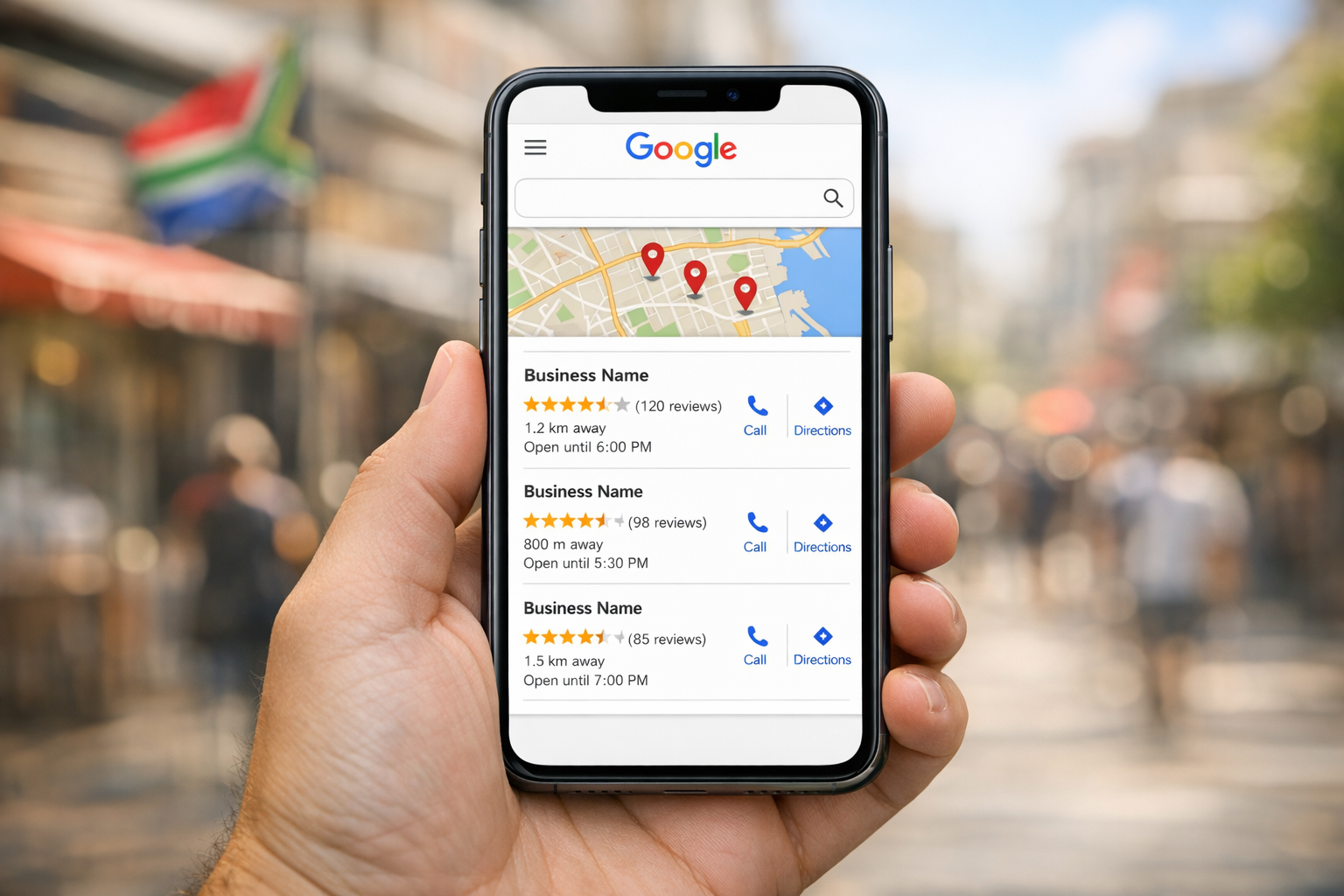
Step 1: Create or Claim All Locations
First, audit: does every location have a claimed GBP? If not, claim them immediately at business.google.com.
Verification options:
- Postcard (5-7 days), Address verification
- Phone verification (instant), If location has a direct phone line
- Email verification (instant), If you manage domain email
Step 2: Complete Every Part of the Profile
Business Name: [Brand] + [City] (e.g., "Bob's Plumbing Johannesburg"). Don't stuff keywords.
Category: Primary + up to 9 secondaries. Use exact Google categories, not custom.
Address: Exact, verified street address. Format consistently: "123 Main Road, Johannesburg, 2000, ZA"
Phone: Local number per location. Central call center = common mistake. Each location should have its own line or extension.
Hours: Accurate to the minute. If hours differ by location, update weekly. Missing hours cost you clicks.
Website: Link to location page on your site, not homepage.
Photos: 15+ professional photos per location. Interior, storefront, team, products. Update monthly.
Posts: Publish 2-4 updates per month per location (events, offers, news). Drives clicks and updates carousel.
Reviews Request Link: Generate and prominently place on location pages. Target 4.5+ stars.
Step 3: Build Your Location Network
Link all locations to each other. In Google Business Profile, add other locations under "Associated Locations" (if available in your region).
Building Consistent Local Citations Across SA
A "citation" is any mention of your business name, address, and phone (NAP) online. Google uses citations as a trust signal: the more consistent and authoritative citations, the higher you rank.
The Citation Hierarchy
Tier 1 (High Authority): Google Business Profile, Apple Maps, Bing Places, Waze
Tier 2 (Strong Authority): Industry directories (e.g., SA Real Estate Directory, SA Plumbing Associations), local news archives
Tier 3 (Moderate Authority): Yelp, TripAdvisor, Yellow Pages SA, Local.com
Tier 4 (Weak): Generic local directories, footer mentions
Citation Building Workflow
Step 1: Audit existing citations
Use tools like Whitespark (limited free version) or manually search Google for "[Business Name] [City]" to find where you're already listed.
Step 2: Create a NAP consistency database
Build a spreadsheet with your exact NAP format for all locations:
- Business Name (exact)
- Address (format: [Street], [City], [Postal Code], ZA)
- Phone (format: +27-XX-XXX-XXXX)
- Website
Step 3: Prioritize high-authority directories
For South African businesses, priority directories include:
- Google Business Profile (already done)
- Apple Maps
- Bing Places
- TripAdvisor (if hospitality/tourism)
- Industry-specific directories (Estate Agent Board, SA Franchising Association, etc.)
LocalBusiness Schema for Each Location
Schema markup tells Google "this is a real, distinct location." Each location page should have unique LocalBusiness schema with address, phone, hours, and geo-coordinates.

Local Link Building by City
Build citations and links from local newspapers, industry associations, and city-specific directories. A link from "Johannesburg Times" or "Cape Town Business Magazine" is worth far more than a generic local directory link.
Location-Specific Content Strategy
Create unique content for each location page. Don't duplicate-customize:

- Local testimonials and case studies
- City-specific service variations
- Local team bios
- Community involvement and sponsorships
Creating High-Quality Location Landing Pages
Every location needs its own dedicated page on your website. This page serves two critical functions: it is the destination URL linked from that location's Google Business Profile, and it is the on-site asset that ranks in organic local search results for location-specific queries. The quality of your location landing pages directly determines whether Google treats each location as a legitimate, independently valuable result - or dismisses them as thin, duplicated content that adds no value to searchers.
The Anatomy of an Effective Location Page
A strong location page includes the following elements, each contributing to local relevance signals:
- Unique H1 tag - Include the location name naturally: "Plumbing Services in Sandton" or "Our Cape Town Office"
- Full NAP details - The exact business name, street address, and local phone number, matching your GBP and citations precisely
- Embedded Google Map - An iframe showing the exact location pin for this address
- Operating hours - Specific to this branch, including any variations from other locations
- Unique introductory content - 300-500 words describing this specific location, the area it serves, its team, and what makes it distinct
- Local testimonials - Customer reviews from clients who used this specific branch
- Driving directions - Describe how to reach the location from major landmarks, highways, or neighbouring suburbs
- Location-specific imagery - Real photos of this office, storefront, or facility - not generic stock photos reused across all pages
Avoiding Duplicate Content Across Location Pages
The single most common mistake in multi-location SEO is creating location pages that are identical except for the city name. Google treats these as thin content and may choose not to index some of them, effectively wasting your effort. The rule of thumb: most of the content on each location page should be unique to that location.
This sounds demanding, but it becomes manageable when you approach each page as a genuine representation of that branch. The Johannesburg page should reference proximity to the M1, mention suburbs like Rosebank and Braamfontein, and feature testimonials from Joburg-based clients. The Cape Town page should reference the N1, mention the CBD and surrounding areas like Woodstock or Claremont, and feature Western Cape client testimonials. The content differences flow naturally from the fact that these are genuinely different locations serving different communities.
URL Structure for Location Pages
Use a clean, hierarchical URL structure that signals geographic organisation to both search engines and users. The most effective pattern is: yourdomain.co.za/locations/city-name/ or yourdomain.co.za/areas/suburb-name/. If your locations are within the same city, use suburb-level differentiation. Keep URLs lowercase, hyphenated, and descriptive. Avoid parameter-based URLs or deeply nested structures that obscure the geographic intent of the page.
Internal Linking Between Location Pages
Internal linking is an often-overlooked component of multi-location SEO that significantly impacts how Google crawls, indexes, and distributes authority across your location pages. A well-structured internal linking architecture ensures that every location page receives adequate crawl attention and that the topical relationship between your service pages, blog content, and location pages reinforces local relevance signals.
Creating a Locations Hub Page
Build a central "Locations" or "Our Branches" page that links to every individual location page. This hub page should be accessible from your main navigation, giving it site-wide link equity. Each listing on the hub should include the branch name, city, a brief description, and a link to the full location page. This structure tells Google that your location pages are an important, organised section of your site - not orphaned pages buried deep in the architecture.
Linking From Service Pages to Locations
Your core service pages should contextually link to relevant location pages. If your "Commercial Plumbing" service page discusses the areas you serve, link to each location page from within that content. These contextual internal links pass topical relevance from your service pages to your location pages, strengthening both the service relevance and geographic signals.
Cross-Linking Between Location Pages
Each location page should link to 2-3 other location pages where contextually appropriate. For example, the Johannesburg page might include a line such as "We also serve clients from our Pretoria branch, a 45-minute drive north." This cross-linking creates a connected network of location pages that distributes link equity across all branches and helps Google understand the geographic scope of your business. Avoid excessive cross-linking - keep it natural and useful to the reader.
Architecture Best Practice: The ideal internal linking structure for multi-location SEO follows a hub-and-spoke model: the Locations hub page links to all individual location pages (spokes), service pages link to relevant locations, and location pages link back to the hub and to 2-3 sibling location pages. This creates a crawlable, authority-distributing structure that maximises indexation and ranking potential for every branch.
Managing Reputation Across Locations
With multiple locations, you have more chances to earn reviews. Establish a process:
- Assign review responsibility per location
- Respond to all reviews within 24 hours
- Use review aggregators to centralize monitoring
- Train staff on requesting reviews from customers
Common Multi-Location SEO Mistakes
Across retail chains, healthcare practices, legal firms, and franchise operations, the same mistakes come up repeatedly. Avoiding these accelerates results and prevents the kind of setbacks that can take months to recover from.
Mistake 1: Using a Single Phone Number for All Locations
Routing all calls through one centralised number might be operationally convenient, but it eliminates a critical local signal. Google uses the phone number associated with each GBP as a verification data point. When every directory and every profile uses the same number, Google struggles to differentiate between your locations. Each branch should have its own local phone number - ideally with the area code matching the location - listed consistently across its GBP, website, and citations.
Mistake 2: Duplicating Location Page Content
Copying the same page content and swapping out the city name is the fastest way to get your location pages ignored by Google. Thin, duplicated location pages are treated as low-quality content. Google may choose to index only one version, leaving your other locations without any organic presence. Invest the time to create genuinely unique content for each page - local testimonials, area descriptions, staff introductions, and location-specific service details.
Mistake 3: Neglecting Underperforming Locations
It's natural to focus attention on your busiest branches, but the locations that most need SEO investment are often the ones generating the least traffic. An underperforming branch in a smaller market may have enormous untapped potential precisely because local competition is lower. Allocate SEO resources based on market opportunity, not just current performance - the branches with the most room to grow often deliver the fastest ROI.
Mistake 4: Inconsistent Branding Across Profiles
When different team members manage different location profiles without central oversight, branding inconsistencies creep in - different logo versions, different business descriptions, different category selections. These inconsistencies weaken the brand-level authority signals that Google aggregates across your organisation. Establish brand guidelines for GBP management and audit all profiles quarterly to ensure visual and informational consistency.
Mistake 5: Ignoring Location-Specific Competitors
Your competitors differ by location. The businesses competing for local pack positions in your Durban market are not the same businesses you're competing against in Johannesburg. Conduct separate competitor analyses for each location, identify the specific businesses dominating each local market, and tailor your strategy per location to address the competitive landscape that branch actually faces.
Recovery Timeline: If your multi-location SEO has been mismanaged - duplicate content, inconsistent citations, neglected profiles - expect a 3-to-6-month recovery period after corrections are implemented. Google needs time to recrawl directories, reprocess your citation signals, and re-evaluate your location pages. The earlier you identify and fix these issues, the shorter the recovery.
Managing this across five or ten branches is a full-time job. Our local SEO services include multi-location campaigns - per-branch GBP management, citation tracking, and review systems - if you'd rather hand it over.
Ready for multi-location delivery?
This guide is the playbook. When you want NAP cleanup, location page templates, GBP per branch and review ops run for you, see our Multi-Location SEO services.
Frequently Asked Questions
What is multi-location SEO?
Multi-location SEO is the strategy of optimizing multiple business locations to rank in local search results across different cities and regions. It involves managing Google Business Profiles, citations, and location-specific content for each location.
How do I rank my business in multiple cities?
Create a Google Business Profile for each location, build consistent citations across directories, develop location-specific landing pages with unique content, and implement LocalBusiness schema markup for each location. Focus on review generation and local link building for each city.
What are citations and why do they matter?
Citations are online mentions of your business name, address, and phone number (NAP). They're crucial because Google uses citation consistency as a trust signal to rank local businesses higher in search results. Inconsistent citations across directories will hurt your rankings.
How often should I update my Google Business Profile?
Update your GBP at least 2-4 times per month with posts, photos, and offers. Update business information immediately if hours, phone, or address changes. Check for new reviews weekly and respond promptly. Active profiles rank higher.
Should my location pages be identical or unique?
They should be unique. Identical location pages confuse Google and waste SEO potential. Customize each page with local testimonials, team bios, location-specific services, and community involvement. The homepage can be shared, but location pages must be distinct.
How do I manage reviews across multiple locations?
Assign a review manager per location, set up review generation requests (emails/SMS after purchase), use a review aggregator tool to monitor all locations centrally, and establish a 24-hour response SLA. Train staff on writing professional review responses.