On This Page
Key takeaways
- A redesign changes layout, design and copy on a working foundation. A rebuild replaces the platform, theme or code underneath.
- Choose a redesign when your URLs, content and platform still work and the problem is clarity or trust. Choose a rebuild when the platform blocks speed, security or features you need.
- Either way, record which pages earn clicks in Google Search Console before you touch anything, and map every old URL to its new home.
- Ask any agency to write down which of the two jobs they are quoting, so you can compare quotes properly.
What a Redesign and a Rebuild Actually Mean
Most owners say "we need a new website" and stop there. The agency hears one of two very different jobs, and the price, timeline and risk to your Google rankings change completely depending on which one you mean.
Getting the label right first saves you from paying for a full rebuild when a tidy-up would do, or from paying for a repaint on a site that is failing underneath.
A redesign changes the surface
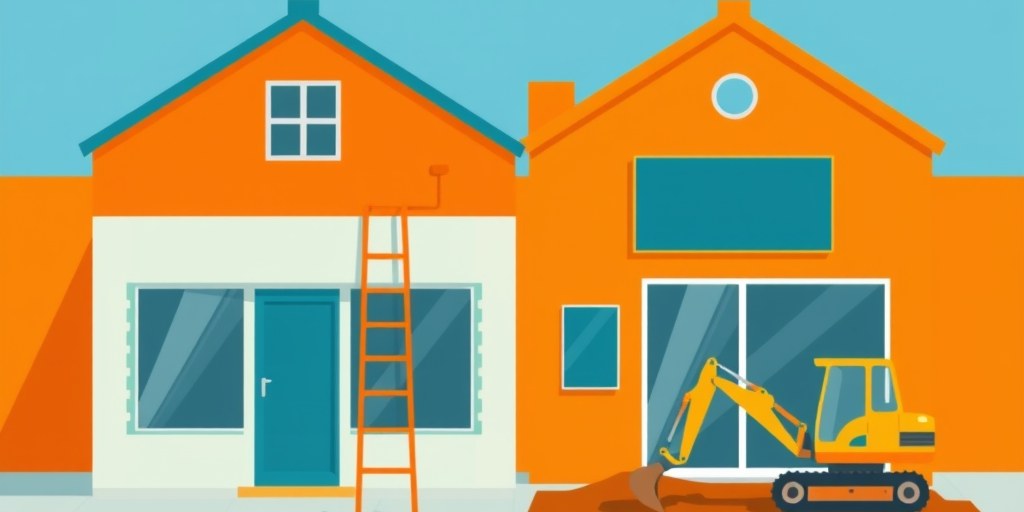
A redesign keeps the platform, the page structure and most of the URLs. You change the visual design, the layout of key pages, the navigation, and often the copy and photography.
Think of renovating a shop that stays in the same building. The address is the same, the customers still find you, and the work is mostly about what they see when they walk in.
A rebuild replaces the foundation
A rebuild means the site is rebuilt on a new platform, a new theme framework or fresh code. Moving from a page builder to WordPress, from a hosted template to a custom build, or from an old CMS that no longer gets updates are all rebuilds.
Because the platform changes, URLs, templates, plugins and tracking all have to be recreated. That is where traffic losses usually start, which is why a rebuild needs a proper migration plan.
Why the label matters for your quote
Two quotes can look similar on the first page and describe different work. One may include a new platform and a redirect plan, while the other only restyles your existing theme.
Ask each agency to state in writing whether they are quoting a redesign or a rebuild, and what happens to your existing URLs and content. If you want a sense of what the work costs in rand, our website pricing guide breaks down the ranges.
Signs a Redesign Is Enough
A redesign is the right call when the engine works but the bodywork puts people off. You can usually tell because the site still gets found, still loads reasonably and still lets you edit pages without a developer.
The question is whether visitors leave because of how the site looks and reads, or because of how it is built.
Your pages and URLs still earn traffic
If your service pages rank, your blog posts get clicks and enquiries arrive from Google, those URLs are an asset. A redesign lets you keep them exactly as they are while improving what visitors see.
Open Search Console and look at which pages bring in clicks. If the same dozen pages carry most of your visibility, protect them and change their presentation rather than their addresses.
The platform still does its job
A platform that gets security updates, lets you edit content and supports the plugins or integrations you use is not the problem. Many owners blame the platform for what is really an old design.
If your current theme is supported and your host is stable, a fresh layout on the same platform is usually quicker and cheaper than starting over. It also keeps your risk low, because the technical foundation does not move.
The real problem is trust and clarity
Some sites fail because a visitor cannot tell within a few seconds what you do, where you work or how to contact you. Others look dated enough that a buyer doubts the business is still active.
Those are messaging and design problems. Clearer headlines, a visible phone number and WhatsApp button, real photos of your team and a simpler menu fix them without touching the platform. Our guide on when to redesign your website covers the timing side of this decision.
Signs You Need a Rebuild
A rebuild is justified when the problems live in the foundation. Paint will not fix them, and each month you delay adds to the bill.
These are the signals that tend to separate a true rebuild from a redesign someone wants to upsell.

The platform blocks what the business needs
Perhaps you need online bookings, a product catalogue with stock levels, a members area or several location pages, and your platform cannot do it without awkward workarounds. If every new requirement means another paid add-on that fights with the last one, the platform is the limit.
A rebuild lets you pick a foundation that fits the next three years of the business, not the last three.
Speed and mobile problems sit in the code
Check your key pages against Core Web Vitals in PageSpeed Insights and see where the slowness comes from. If it is oversized images, that is a quick fix. If it is a bloated theme, dozens of plugins loading on every page, or a layout that was never built for phones, the problem is structural.
Load-shedding makes this worse, because heavy pages are slower still on unstable mobile connections. We cover that in our post on website performance during load-shedding.
Years of patches have piled up
Look for warning signs such as plugins that have not been updated in years, a theme the developer abandoned, repeated hacked-site clean-ups or a site only one former freelancer understands. Each one makes every future change slower and riskier.
When the cost of patching starts to rival the cost of replacing, a clean rebuild is the cheaper option over time. Moving off a hosted builder is a common case, and our Wix to WordPress cutover plan shows how that migration works.
Protect Your Search Traffic Either Way
The biggest financial risk in both options is losing the Google visibility you already have. A new site that looks better but ranks nowhere costs more than the old one ever did.
This part of the project is mostly paperwork, so check that your quote includes it.

Record what works before you change anything
Export your top pages by clicks from Google Search Console, and note the queries each one answers. Add the pages that produce enquiries, even if they get modest traffic.
This list becomes your protected pages list. Every one of them needs a clear plan in the new site, whether that is keeping the URL, keeping the content or redirecting to a close equivalent. A proper website SEO audit before the project starts is a sensible way to build it.
Map every old URL to a new one
If any address changes, the old one needs a permanent redirect to the most relevant new page. Redirecting everything to the home page wastes the ranking signals those pages built up.
Keep a spreadsheet with the old URL, the new URL and the reason. Then submit an updated sitemap through Search Console, following the guidance on building and submitting sitemaps, so Google discovers the new structure quickly.
Check the launch and the weeks after
Before launch, confirm that titles, meta descriptions, headings, schema and analytics tags have carried over. Make sure the staging site is blocked from indexing and that the live site is not.
After launch, watch Search Console for crawl errors, dropped pages and unexpected 404s for several weeks. A short dip while Google reprocesses the site can be normal, but a steady fall on protected pages means something was missed and needs fixing quickly.
A Decision Process You Can Finish in a Week
You do not need a long strategy project to choose. A handful of honest questions, answered with data from your own site, will point clearly one way.
Treat it as a short checklist you complete before you call any agency.
Score five questions
Ask yourself: does the site still bring in enquiries from Google, can your team edit it without help, does your platform receive security updates, can it support the features you plan to add, and does it load acceptably on a phone on mobile data? Each "yes" points toward a redesign.
If two or more answers are "no" and they relate to the platform, you are looking at a rebuild. If the "no" answers are only about looks and wording, a redesign will do.
Budget in phases, not in one lump
You can split a larger project. Fix the highest-impact pages first, such as the home page, your top service pages and the contact page, and plan the platform move for a second phase.
Phasing spreads the cost across months and lets you see what changes before you commit more. Nexus SEO builds websites in Durban and offers website redesign services, and we will tell you honestly which of the two jobs your site needs.
Frequently asked questions
Is a website redesign cheaper than a rebuild?
Usually yes, because a redesign keeps the platform and most of the structure, so there is less to migrate and test. The exact difference depends on how many pages you have and how much content needs rewriting. Ask for the quote to state clearly what is included in each case.
Will redesigning my website hurt my Google rankings?
It can if URLs change without redirects or if titles, headings and content are stripped out. If you keep your top-performing URLs and content and test the launch carefully, rankings normally stay stable. Track your key pages in Google Search Console before and after.
How long does a website rebuild take in South Africa?
It depends on the number of pages, the features and how quickly you supply content and approvals. Content delays from the client side often push projects late. Ask your agency for a timeline with dates for each stage, including the redirect and testing work.
Should I rebuild if my site is on Wix or Squarespace?
Not automatically. If the builder covers your needs and your pages perform, a redesign within it may be enough. A rebuild makes sense when you hit feature limits, speed problems you cannot fix, or you want more control over technical SEO.
Can I keep my current content when I redesign?
Yes, and you often should keep the pages that already rank. Update them for clarity and accuracy rather than rewriting from scratch. Replace only the content that is outdated, thin or no longer matches what you sell.